The coach's plan
Team lifts land on your calendar with the routine. Start it from there, check off sets as you go, and it counts on the team's board.

LOGR was built by Division I athletes for the way a college team trains: the strength coach's plan on your calendar, your own sessions in the same workout log, and teammates who see the work. In season and out.
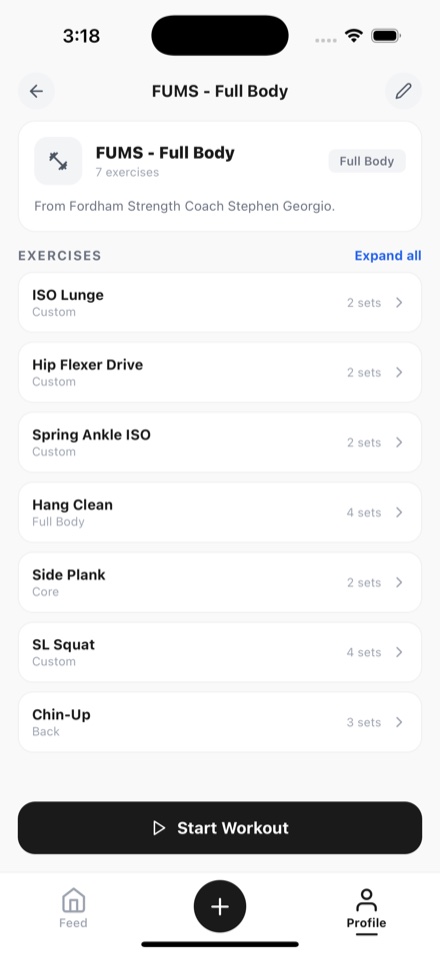
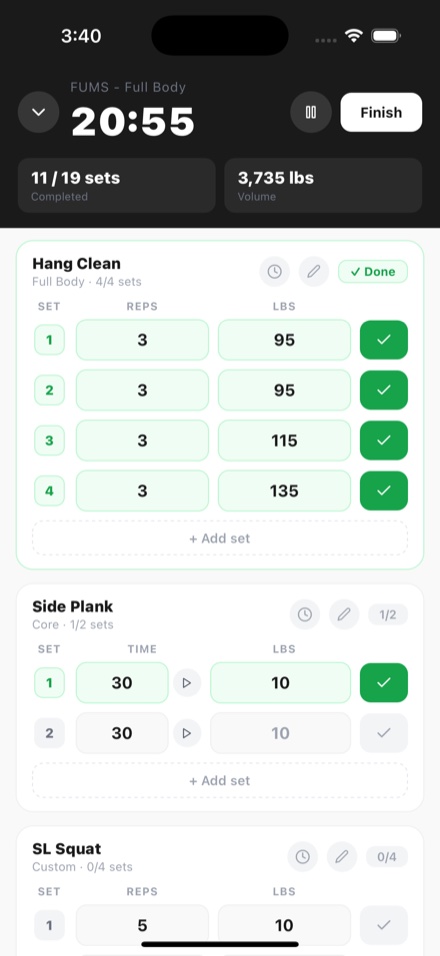
Team lifts land on your calendar with the routine. Start it from there, check off sets as you go, and it counts on the team's board.
Extra lifts, a run, a class, or practice go in the same log, so the whole season is in one place.
Logging a rest day keeps your streak, so your calendar shows the honest shape of a season, gaps and all.
Your personal records update as you log, for every lift, with nothing to type twice.
Graduating or switching teams? Your log is yours and stays with your account.
More on LOGR for teams, coaches, and training with friends.
Still need help? Contact support →
No. It works for one athlete logging their own lifts. It gets better as teammates join: one team chat, the coach's plans on everyone's calendar, and the daily board of who trained.
Yes. Save the session as a routine and run it each time, or start an empty workout and add exercises as you go.
Yes. Anything that is not a lift goes in as an activity, with its time and, for a run or a ride, its distance, on the same calendar and streak.
It stays with your account. Leaving a team takes its future plans off your calendar from that day on, and everything you already logged stays.
No. LOGR is an iPhone app, on the App Store in the United States and Canada.
Yes. Everything on this page is free, with no ads and no subscription. Any future paid features will be clearly explained before they are introduced.
For iPhone on iOS 15.1 or later, in the United States and Canada. No ads, and nothing to set up first.